

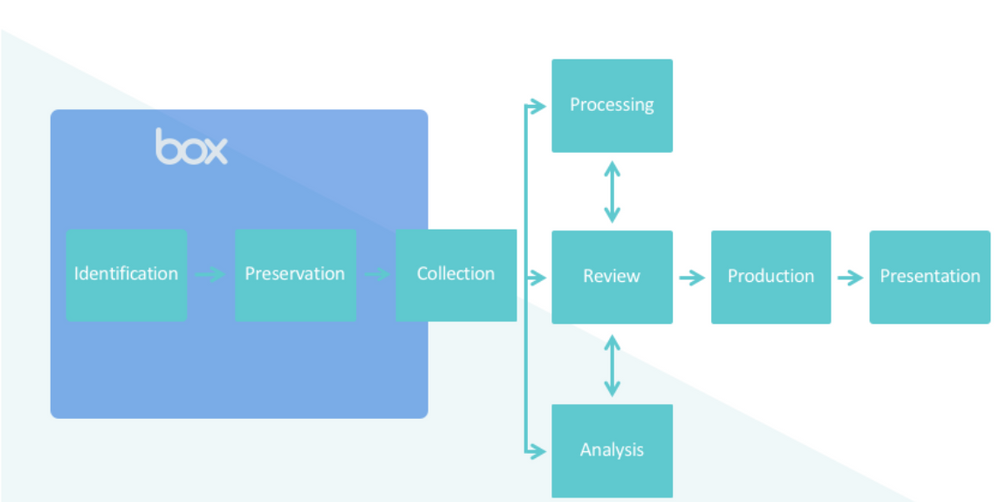
- eDiscovery partner
- Box content manager
- Box API custom script
Using an eDiscovery partner to export content
You can use one of the third-party organizations with whom Box maintains a partnership to analyze exported data. A seamless integration with each partner enables automatic uploading of content, after which you can manage the content through the remainder of your organization’s eDiscovery processes, such as relevance modeling and culling. Choose from one of five eDiscovery partners (as of August, 2022):- Onna
- Relativity
- Exterro
- Logikcull
- IPro
- Be sure to review each integration with your vendor, to ensure you understand how the integration will behave and whether such behavior meets your organization’s e-Discovery requirements.
- Regardless of which partner you choose, we strongly recommend you use the primary Box Administrator account for authentication purposes. This ensures access to all content in the environment.
Using a content manager to export content
If you are an admin or co-admin of your organization’s Box account, you can use the Content Manager within the Box Admin Console to access any individual’s files and folders. Using the Content Manager enables you to filter on a specific person and view that person’s folder structure from their perspective. You can then extract the content you want from that person’s account. Here’s how: To extract content using the Box Content Manager- From your Admin Console, navigate to Content > Content Manager
- Search for the user whose content is under legal hold.
- Next to More, click the check mark to select all folders you wish to export
- Click Download. The files within those folders download as a ZIP file.
- You can only do this one individual at a time.
- Using the Content Manager exports all content in the selected folder.
- You cannot export any content from the trash (except via the Box API).
- You get only the latest version of each file.
- There is a 15 GB limit for downloads.