

- Free personal: 250 MB
- Personal Pro: 5 GB
- Starter: 2 GB
- Business: 5 GB
- Business Plus: 15 GB
- Enterprise (and Digital Suites ): 50 GB
- Enterprise Plus: 150 GB
- Enterprise Advanced: 500GB
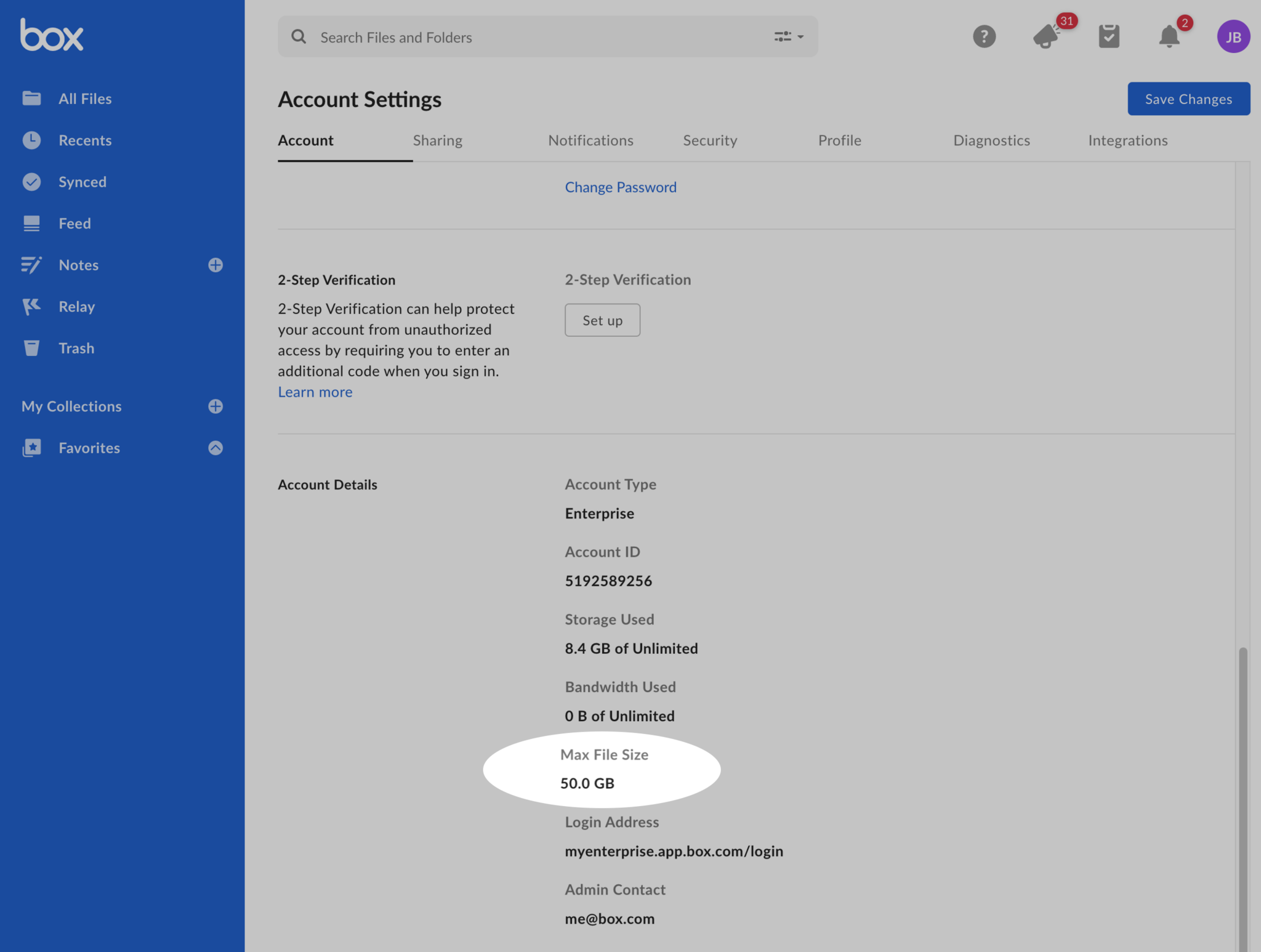
- Log into Box.
- Click your account icon in the upper-right-hand corner.
- Select Account Settings from the menu that displays.
- Scroll down to the Account details and review your Max file size listed.
- Box Mobile: 15GB
- Box Sync: 15GB
- Email Uploads: 50MB
Be aware shared folders enforce the file size limit that applies to the Folder Owner’s plan, regardless of whether any of the collaborators within the folder have a higher limit. Here’s an example: Someone with a business account uploads files to a shared folder owned by someone with a free Box account. In this case, the business account holder is limited to uploads of 250 MB or fewer, since the folder belongs to the free account holder. Alternatively, a free user collaborating on a folder owned by an Enterprise User can upload files of up to 50 GB in size in this folder.