

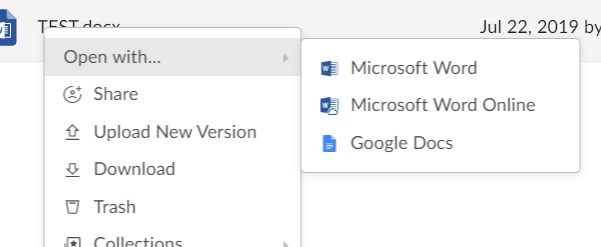
- Right-click a file or click the ellipsis (…) to open the More Options menu.
-
Click Open With… If there is more than one application with which you can open the file, you will have the option to select the appropriate application.
- Click the file to open it in preview
- Click Open. If there is more than one application with which you can open the file, you will have the option to select the appropriate application.
Saving Files to Box with Box Tools
After editing a file using Box Tools, simply save your changes in the native application. All changes will be saved back to Box automatically as a new version of the file. You will see a status display stating, <Filename> has been successfully saved to Box.