

Notes: Box AI Studio is only available for Enterprise Advance accounts.
Admin Enablement
Within the Admin Console, go to the Box AI section and then the Settings tab and set the permissions for both users and groups. If your organization has not fully enabled Box AI, you can click Enable for All to do so for all services.
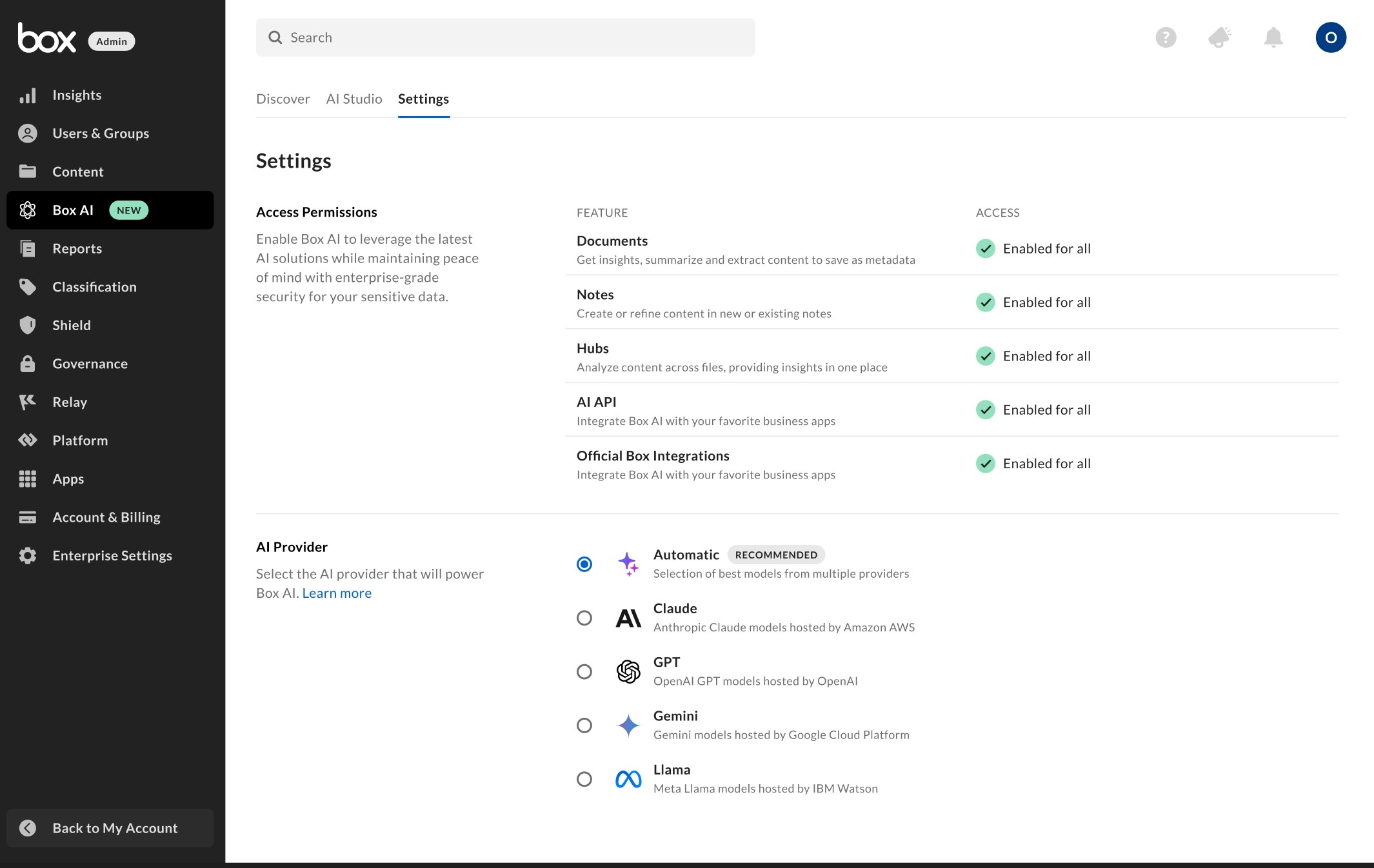
Enabling Access for Co-Admins
To enable Box AI Studio for Co-Admins:- Go to the Admin Console -> then User & Groups
- Select View on the co-admin to configure
- Click Edit on the Role and Access Permissions section
- Toggle on for AI Studio.
Managing Agents
To see a list of agents available, go to the AI Studio tab from the Box AI section in the Admin Console.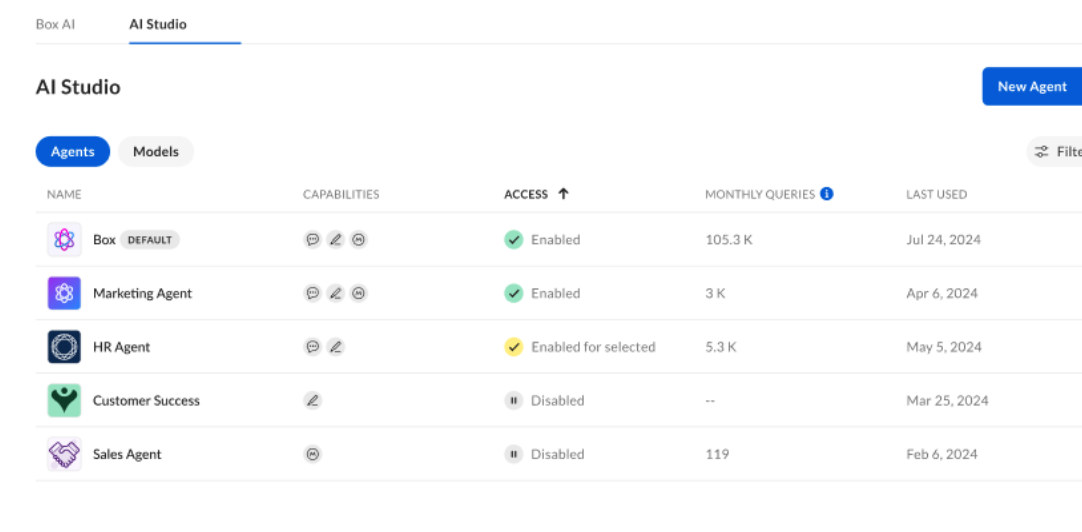
- Name
- Capabilities
- Access
- Monthly Queries
- Last Used
- Type
- Content Q&A
- Text Generation
- Access
- Enabled
- Enabled for selected
- Disabled
- Edit
- Duplicate
- Delete
- Deleting an agent cannot be undone.
Managing Models
To see a list of agents available, go to the AI Studio tab from the Box AI section in the Admin Console. From the Model view, you can see:- Name
- Provider
- Status
- Active
- Expiring
- Users will be notified when trying to select a model if it is expiring.
- Inactive
- Monthly Queries
- Last Used
- Provider