

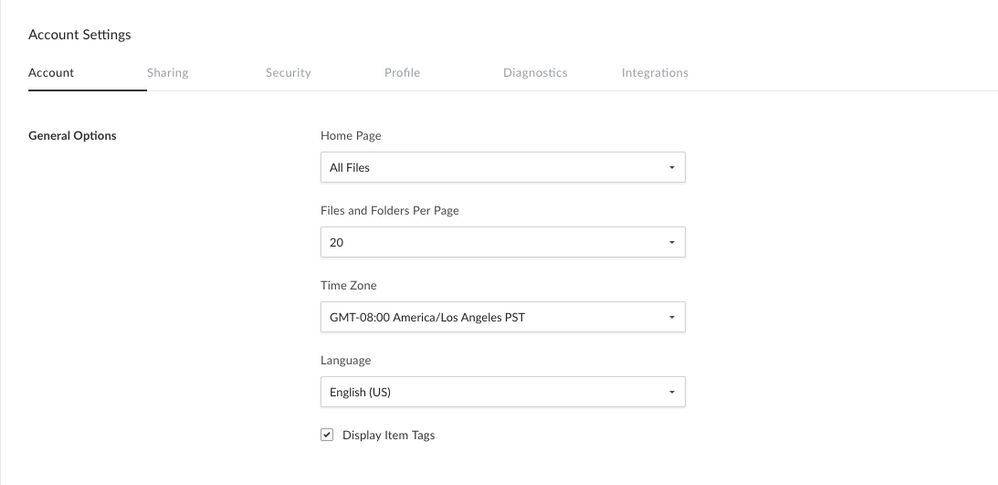
Changing the Time Zone
- Sign into your Box account
- Click your initials in the top-right corner to open the Account Menu.
- Click Account Settings.
- The Account tab should open by default. Locate the General Options section.
- Select your preferred timezone from the pulldown menu under Time Zone.
- Be sure to click Save Changes in the top right to save your settings.
Changing the Language
- Sign into your Box account
- Click your initials in the top-right corner to open the Account Menu.
- Click Account Settings.
- The Account tab should open by default. Locate the General Options section.
- Select your preferred language from the pulldown menu under Language.
- Be sure to click Save Changes in the top right to save your settings.