Note: End of Life (EOL) has been announced for Box Sync effective
December 2026. For more information visit the
official announcement page..
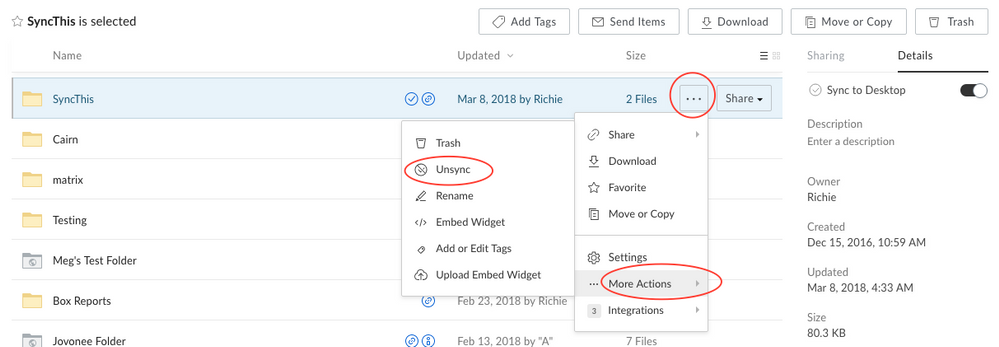
- Highlight the folder
- Select the Details tab on the right
- Toggle the Sync to Desktop option

- Select More Options button for the folder
- Hover over More Actions
- Select Unsync
-
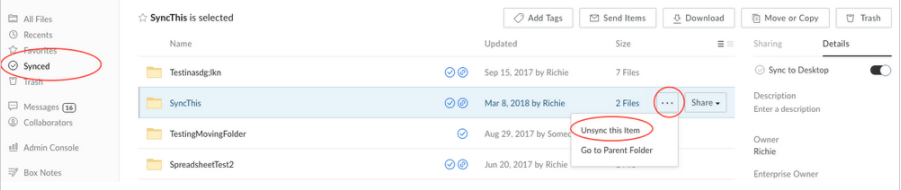
- Select Synced menu
- Select More Options button for the folder
- Select Unsync this Item