

Note: End of Life (EOL) has been announced for Box Sync effective
December 2026. For more information visit the
official announcement page.
- you delete a folder you own from your Box Sync folder that has collaborators in the folder, or
- you are a non-owner collaborator, and you try to delete a sub-folder.
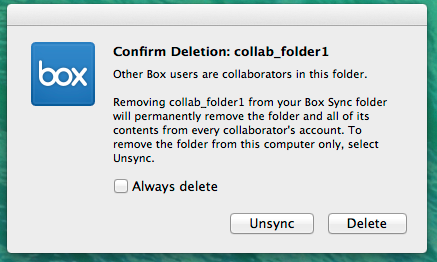
Scenarios where you will not receive a “Confirm Deletion” prompt:
When deleting content from your local Box Sync folder,- you will not get this prompt if you delete a folder you own that has no collaborators. The folder will be deleted from your Box account.
- you will not get this prompt if you delete individual files. The file will be deleted from your Box account.
- you will not get this prompt if you delete a folder that is owned by another user. The folder will be unsynced for you.
- Moving a folder from your Box Sync folder to anywhere outside of your Box Sync folder is equivalent to the folder being directly deleted from your Box Sync folder.
- If a folder is partially synced, additional items not visible on your computer may also be permanently deleted from Box. Deleting parent folders locally from your Box Sync folder could cause subfolders that you haven’t synced to be deleted inadvertently. You can always recover deleted items from the Trashpage.