

Deleting a file or folder
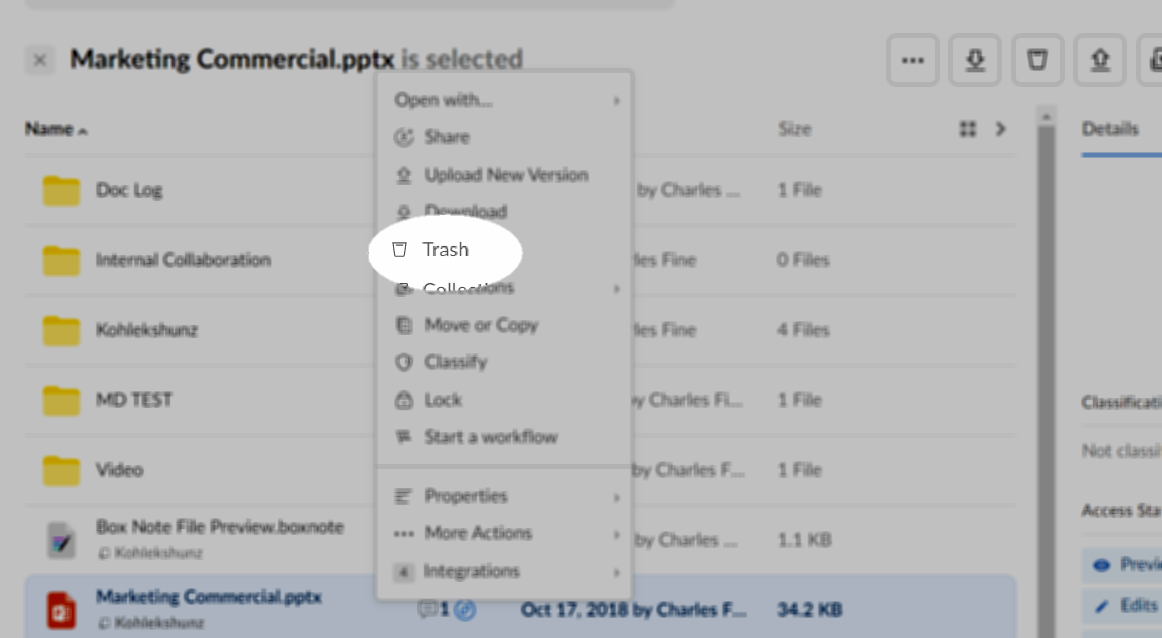
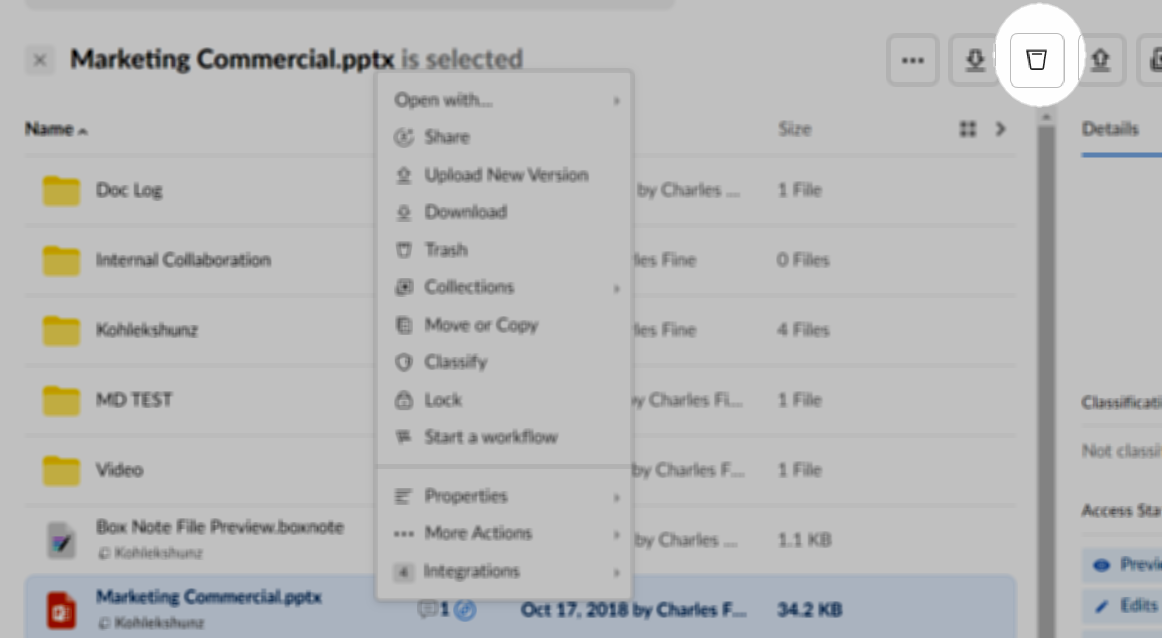
To delete a file or a folder:- Right-click (or click the ellipsis (…) on a file/folder and then click Trash. Alternatively, you can click next to the file/folder name to select it, then in the upper-right click the trash icon.
- Box moves the item to your Trash folder and displays a confirmation message. You can undo the delete action by clicking Undo in the confirmation message.
Deleting multiple items
To delete multiple files and/or folders:- Select the items you’d like to delete by pressing and holding the Shift or Command key and clicking next to each file/folder name. Press Shift to select everything between the first and last item. Press Command to select multiple items individually. Selected items are highlighted.
- When you have selected all items, scroll to the top of the file display and in the upper-right click the trash icon.
Automatically deleting a file
To set a date to automatically delete a file:- In your Box account, hover on the file.
- Click the ellipsis (…) and select More Actions.
- Click Set Expiration.
- In the Set Auto-Expiration window, check Auto-delete this item on a selected date.
- In the date field, type a date or click the calendar icon and select a date.
- Click Save.
Automatically deleting or un-sharing a folder
To set a date to automatically delete or un-share a folder:- In your Box account, hover on the folder.
- Click the ellipsis (…) and select Settings.
- Scroll down to Automated Actions.
- Check the option you want.
- In the date field, type a date or click the calendar icon and select a date.
- Scroll to the top of the page and click Save Changes.
NoteIf you delete an item inadvertently, Box does not immediately remove it. Instead it remains in your trash for 30 days, during which time you can recover it. (Administrators of Business and Enterprise accounts can shorten or lengthen this 30-day period.)