

To create a bookmark:
-
Click the New button found in the upper-right corner of the page. Select Bookmark.
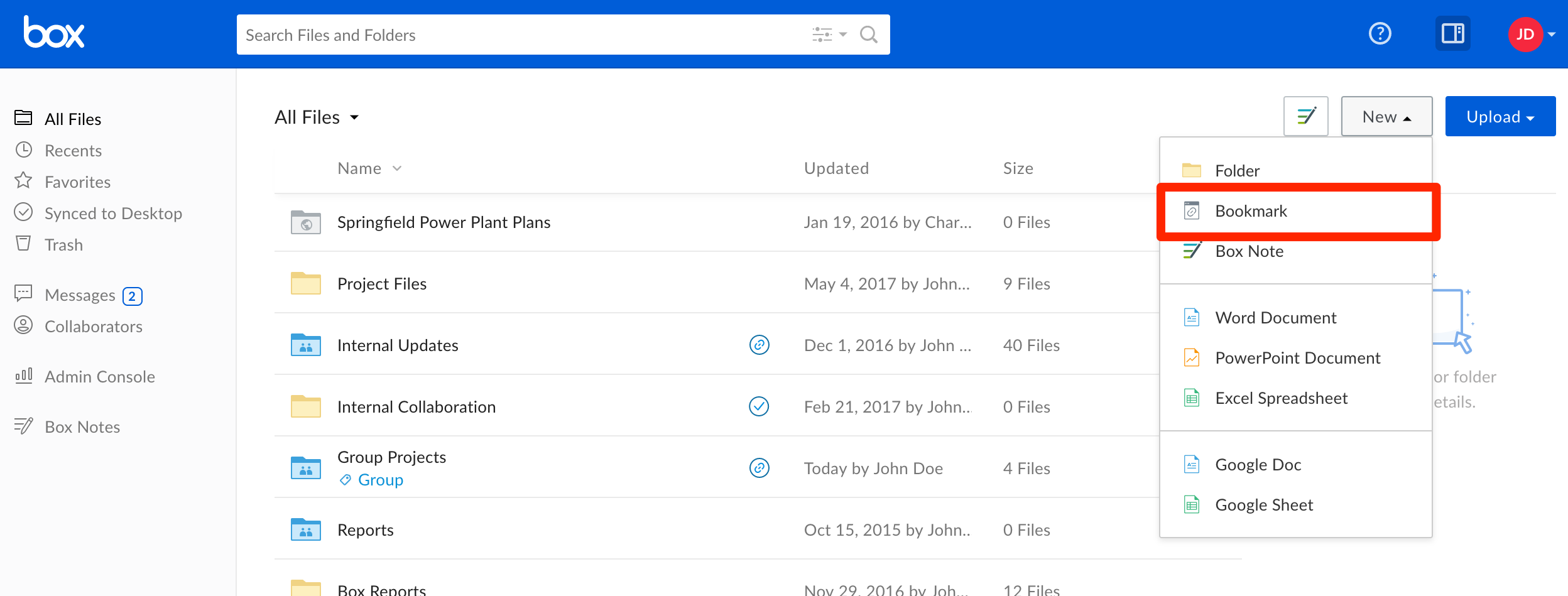
- A pop-up window will appear prompting you to enter the URL you wish to bookmark, and a name for your new bookmark. A description is optional.
- Click Create to complete the process.
- Bookmarks cannot be synced as Box Sync and Box Drive ignore web-based documents.
- The bookmarked URL cannot exceed 500 characters.