

This article is about Box Shuttle in the Admin Console. If you’re using legacy Box Shuttle, a standalone tool, see legacy migration guides.
Overview
Jobs Dashboard is the main screen of Box Shuttle, and it allows you to view all your migration and analysis jobs in one place. Here you can:- create a new job
- view the details of existing jobs
- configure and manage existing jobs
- track the progress of running jobs
- view job history
- delete jobs
- Data analysis - if you want to analyze your source system data
- Data-only migration - if you want to create a job that migrates your data only
- Data migration with permissions - if you want to create a job that migrates data along with permissions such as folder or file ownership
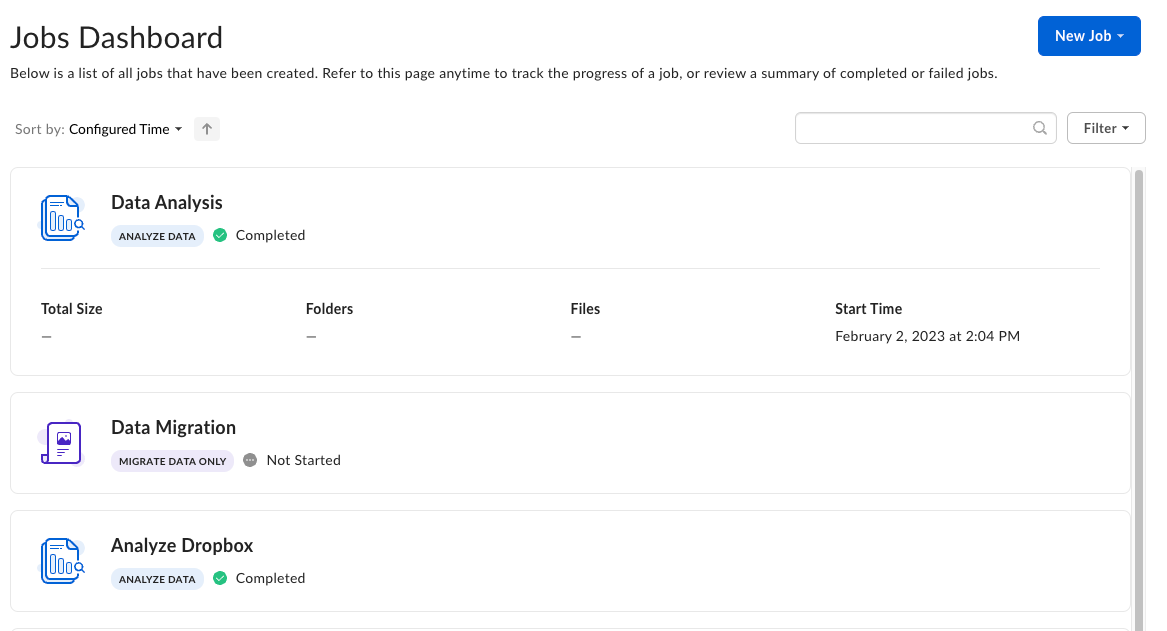
View job details
Expanding the job entry lists additional details about the total size of the transferred content, the number of folders and files, and the time the job started.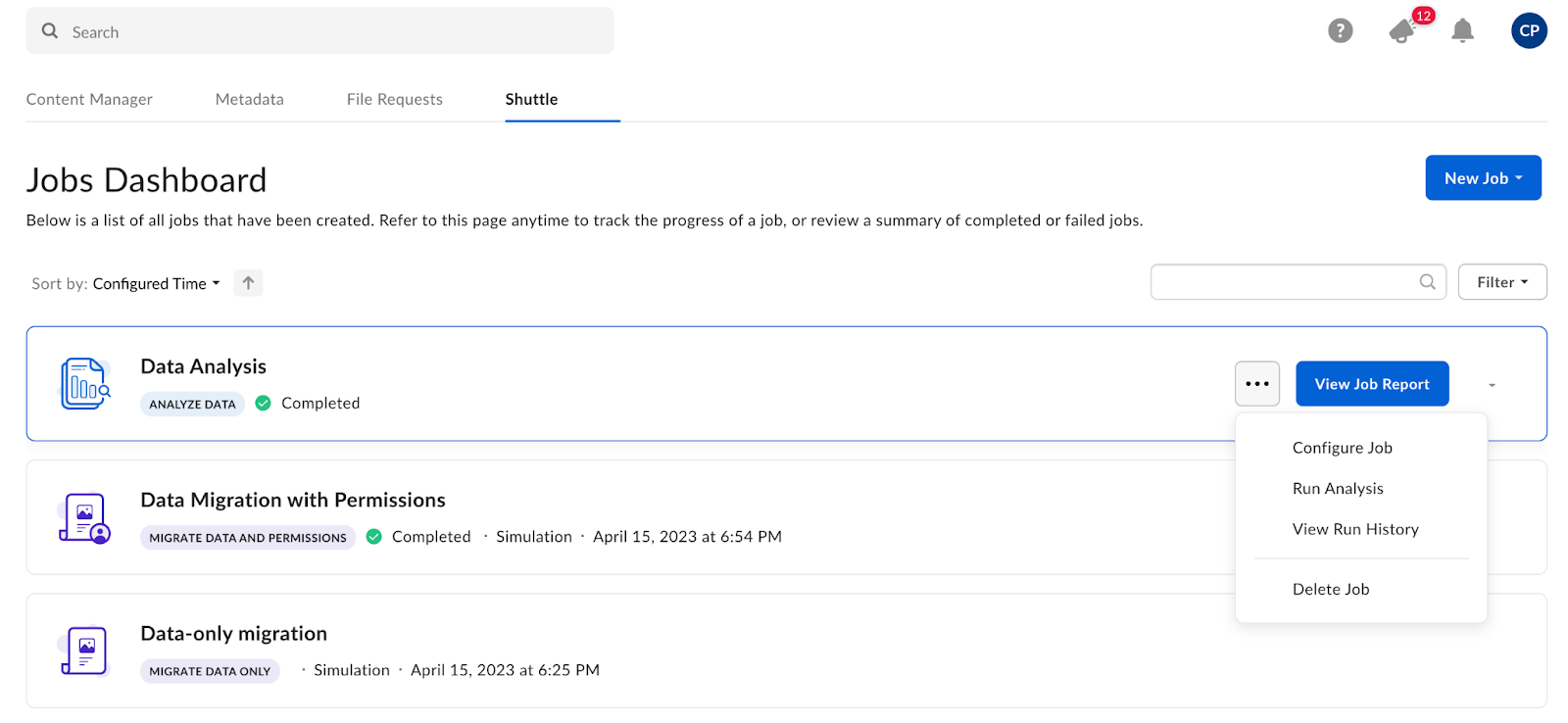
- Configure Job - opens the job settings allowing you to change the configuration of your job
- Run Simulation - runs a migration simulation before the actual transfer
- Run Transfer - runs a migration
- View Job Report - opens the simulation or transfer report
- View Run History - lists past runs that you can examine
- Stop Job - stops a job that is already in progress
- Delete Job - deletes a job
Status transitions and job options
The menu on the right has a set of additional options you can use for your job. The table lists the options depending on job type and status.| Job type | Status | Job options |
| Analysis | Not started | Run Analysis Delete Job |
| Provisioning Starting Scanning Stopped | Configure Job Stop Job View Run History View Job Report | |
| Failed Timed Out Completed Completed with errors | Configure Job Run Analysis View Job Report View Run History Delete Job | |
| Migration | Not started | Configure Job Run Simulation Run Transfer Delete Job |
| Provisioning Starting Scanning | Configure Job Stop Job View Run History View Job Report | |
| Scanned Stopped Failed Timed Out | Configure Job View Run History Delete Job | |
| Completed Completed with errors | Configure Job View Job Report View Run History Delete Job |