

- Move your text cursor to the section you want to separate
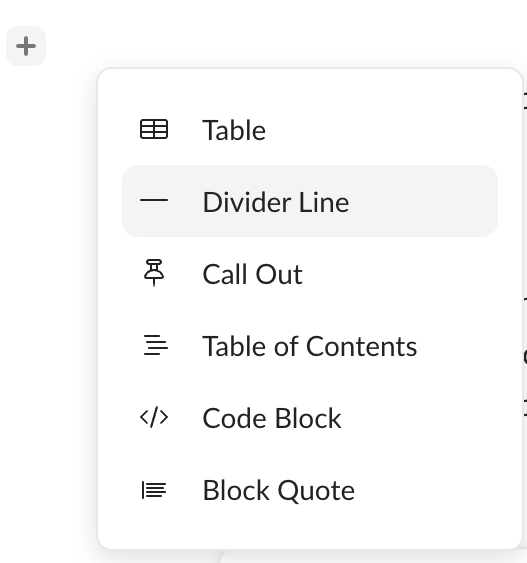
- Click on the “+” to the left of the text body
- To add a divider on keyboard, click “-“ 3 times.
- Click Divider Line
- To remove the line, click backspace or delete on your keyboard.
- To adjust the line, click and hold the line and move it up or down.