

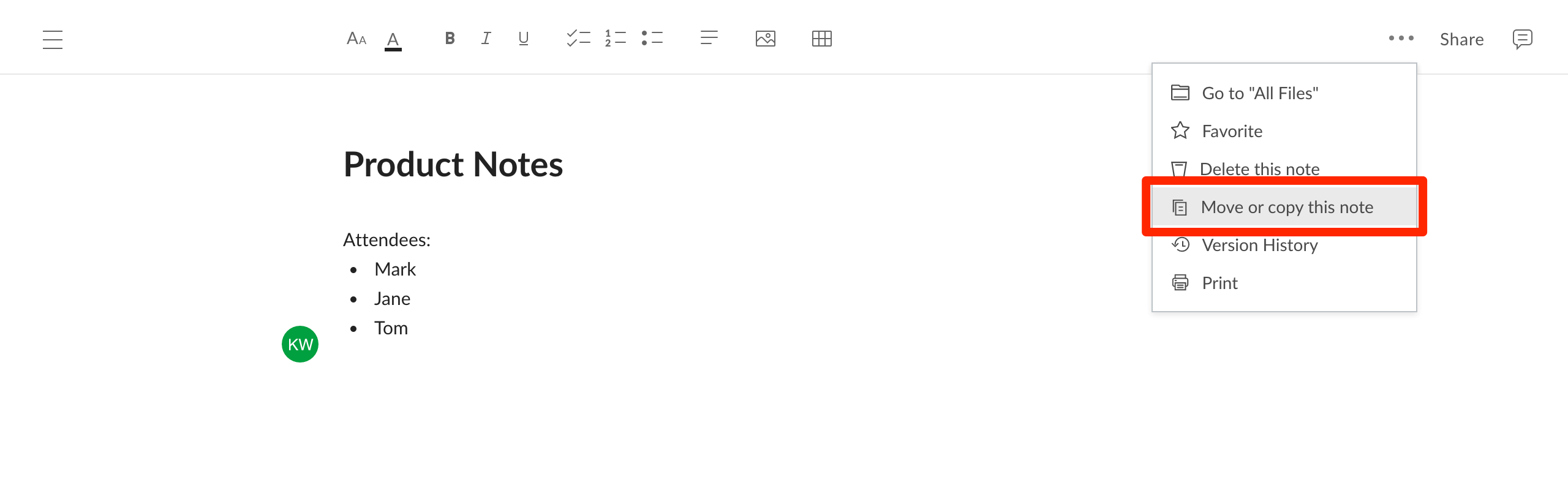
- Open the More Options menu (ellipses in the upper right corner) and select Move or copy this note.
- In the window that appears, select a destination folder by clicking the bubble beside its name. If you do not select a folder, the file will be moved or copied into the folder that you are currently viewing.
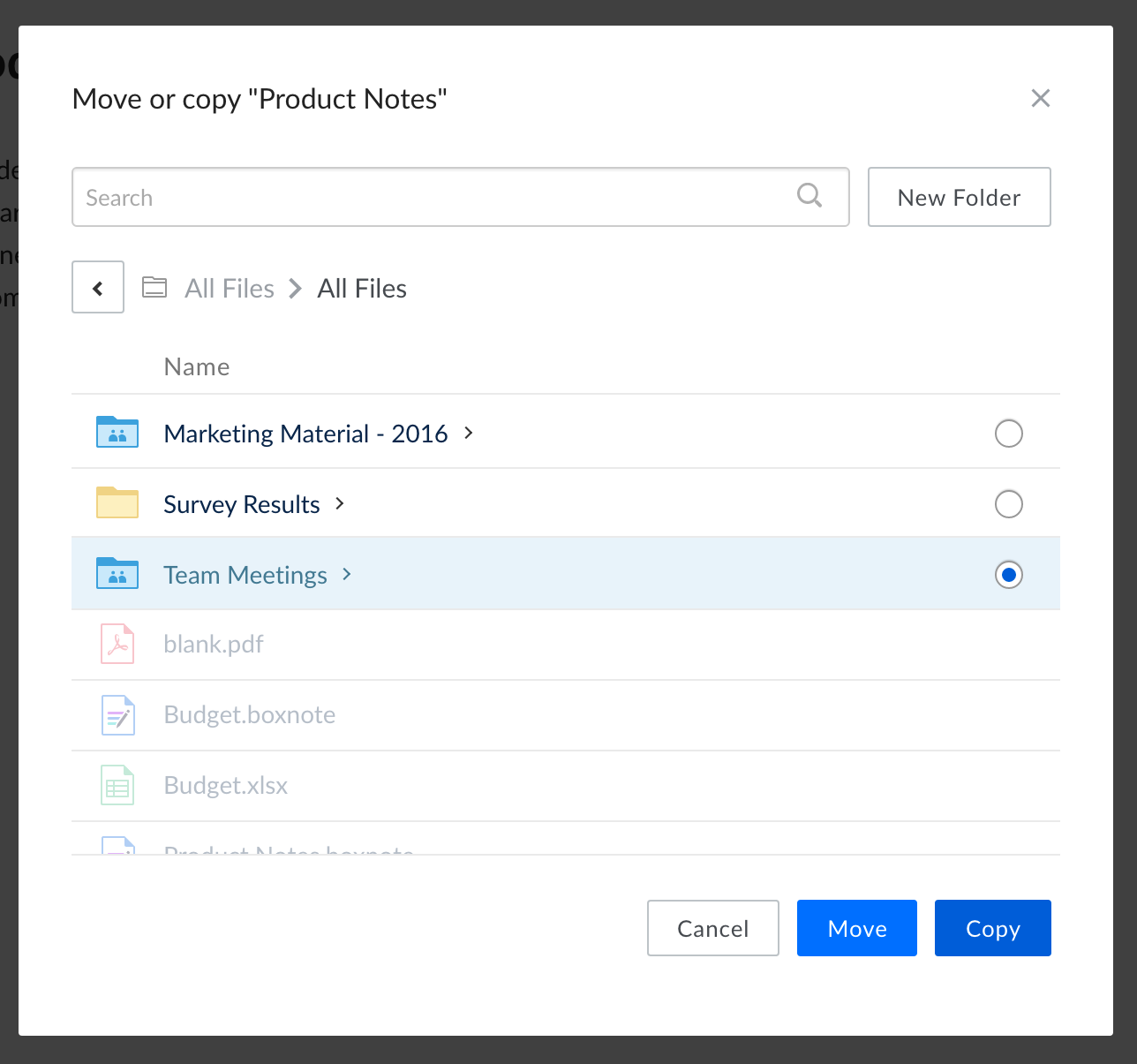
- Alternatively, you can create a new folder (inside the folder you are currently viewing) by clicking New Folder.
- Click Move or Copy complete the action.