Tracking Changes with Differences
We’ve made it easy to keep track of changes made by other collaborators. When you open a Box Note that has been modified, any additions made since the last time you viewed the Box Note will be highlighted in purple.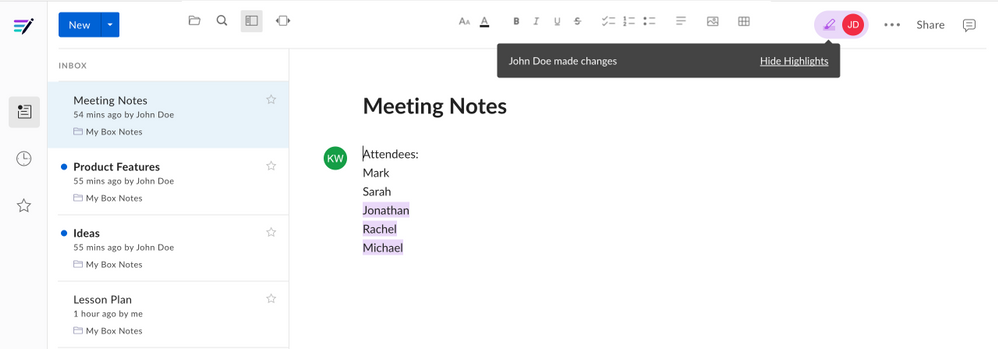
Tracking Recent Activity with Presence
You can keep track of who has viewed or edited a Box Note by clicking on any collaborator’s badge (their profile picture or initials), displayed in the upper right. This will open the Recent Activity tab, where you will see a list of collaborators, sorted by when they last viewed or edited the Box Note. Note that if a collaborator has been invited to the Box Note, but has never opened it, they will not appear in this list.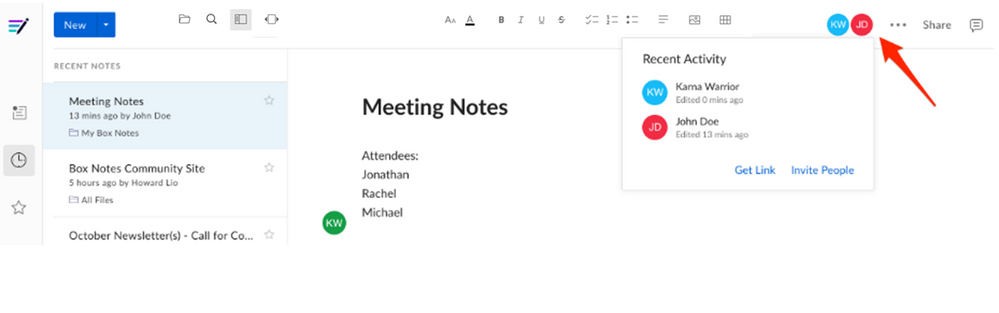
Tracking Recent Edits with Collaboration Cursors
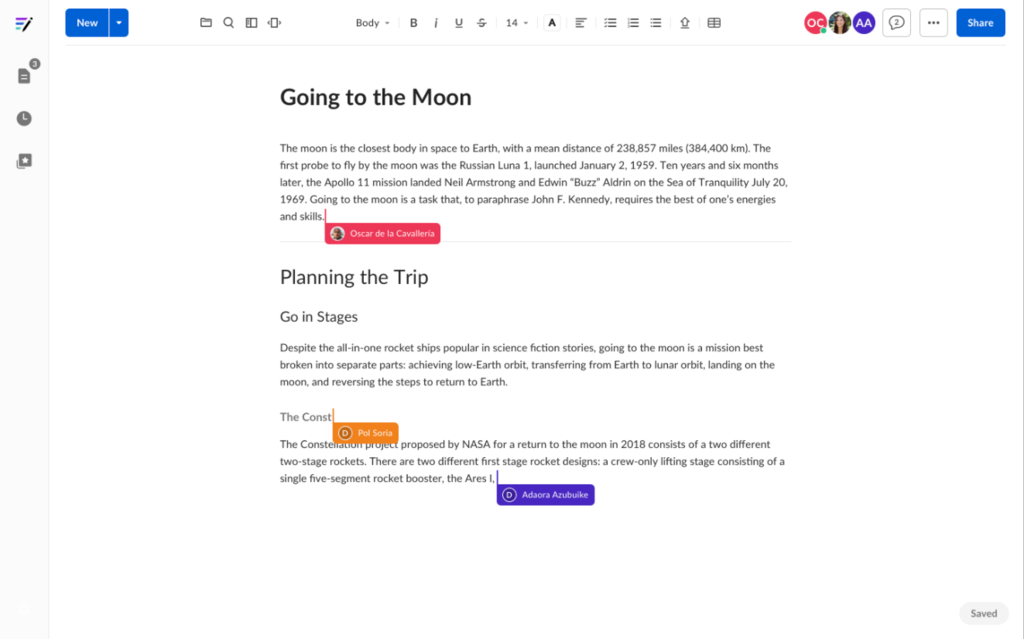
You can see where other collaborators are working in the file. When someone’s editing a Box Note you’re viewing, a colored cursor displays the editor’s name and icon on hover next to their current edit. Each time a collaborator moves a cursor, Box updates the location of the cursor.