

- In the footer bar, tap Inbox.
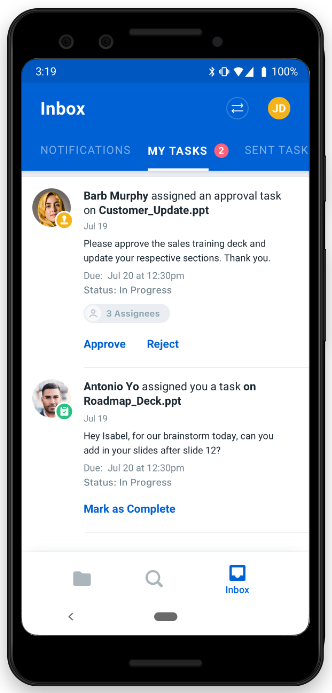
- In the top of the Inbox window, a badge on MY TASKS displays how many unfinished tasks you have. Tap MY TASKS.
- In the footer bar, tap Inbox.
- In the top of the Inbox window, tap SENT TASKS.
- In the footer bar, tap Inbox.
- In the top of the Inbox window, tap MY TASKS.
- Below the task, tap
- Mark as Complete, or
- Approve, or
- Reject.