

Note:
- Admins and Co-Admins who can edit enterprise settings are exempt from Device Trust checks. This keeps them from accidentally locking themselves out of the admin console.
- Users who log in via FTP are also exempted from Device Trust checks.
- For computers, you must have Box Tools installed for the Web App to perform the necessary Device Trust security checks.
Note:
If enabled for your organization, you can add multiple security policies. If you enable multiple security policies, device access is granted only if it passes all policy checks.
If enabled for your organization, you can add multiple security policies. If you enable multiple security policies, device access is granted only if it passes all policy checks.
Device Policy in Use
When Device Trust is enabled and restrictions are set, users that don’t meet these requirements will see a screen like the one below and won’t be allowed to access Box.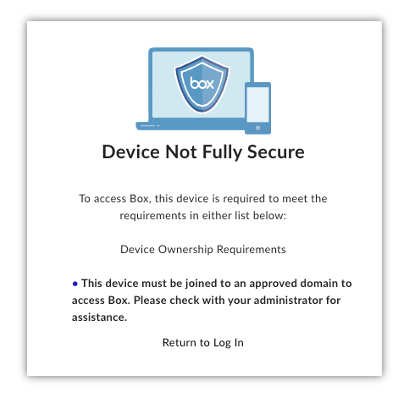
Creating a Device Trust Policy
- Go to Admin Console -> Enterprise Settings.
- Select the Device Protection tab.
- In the Box Device Trust section, select Create policy.
- Enter a Name and an optional Description.
- Configure the policy. See Enterprise Settings: Device Protection Tab for details about Device Trust policy settings.
- Select Next.
- Select Save.
Editing a Device Trust Policy
- Go to Admin Console -> Enterprise Settings.
- Select the Device Protection tab.
- In the Box Device Trust section, select the name of the policy.
- Click Edit.
- Make any desired changes. See Enterprise Settings: Device Protection Tab for details about Device Trust policy settings.
- Select Next.
- Select Save.
Deleting a Device Trust Policy
- Go to Admin Console -> Enterprise Settings.
- Click the Device Protection tab.
- In the Box Device Trust section, select the name of the policy.
- Select Delete.
- In the Delete Policy dialog box, select Delete
Monitoring Device Access
- Reports can be generated in Admin Console > Reports > User Activity. Under Login, select Failed Device Trust Check.
- Logs are available in Box Events Stream