

Note
This feature is available in Business Plus, Enterprise, Enterprise Plus, and Enterprise Advanced plans only. For more information about pricing plans, or to upgrade, visit app.box.com/pricing/.
This feature is available in Business Plus, Enterprise, Enterprise Plus, and Enterprise Advanced plans only. For more information about pricing plans, or to upgrade, visit app.box.com/pricing/.
Accessing Content Manager
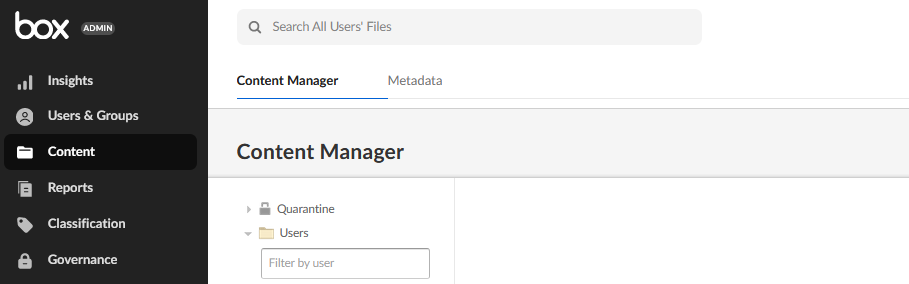
To access Content Manager:- Open Admin Console.
- In the Admin Console’s left pane, click Content.
Filtering by Folder or File Type
To filter by folder or file type:- Search for a file or folder in the search bar.
- Click All Types.
- Select the file type you want.
- Click Apply.
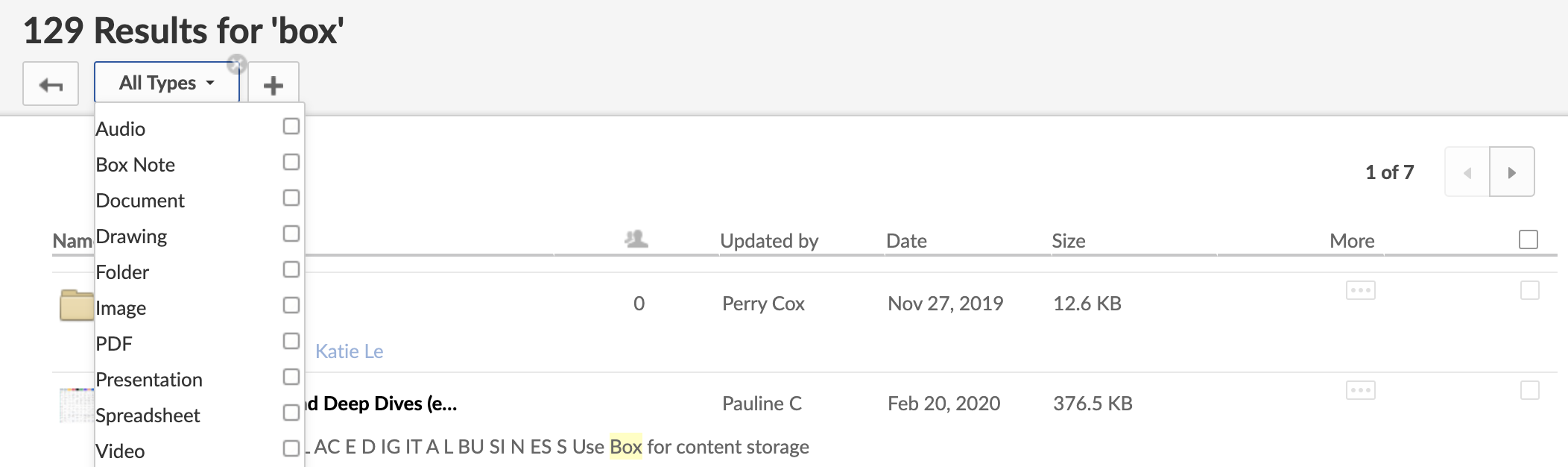
To add a new filter:
- Click the + icon.
- Content: Filter by searching for keywords in the content of the file. For example, search through a document’s information and the document’s content (Everything), or narrow by:file names specifically; comments added to files; descriptions added to files and folders; or file content (not file attributes).
- Click Apply