External users are collaborators from outside your organization. From an administrative perspective, these are people who have been invited to collaborate on your company’s content.  External users can be granted the same collaborator access and sharing rights as managed users, but your control over the content they own and their security settings are limited.  The differences between external users and managed users are detailed below. Note Your organization may also have unmanaged users.  These are people who are part of your organization but are using unlicensed Box accounts, possibly because they signed up for an account on their own, or already had one, outside of your organization.  Unmanaged users may or may not also be external users, but they also represent a potential security risk, as they are not subject to your organization’s Box security and compliance policies.  Run a User Details report to identify your unmanaged users.

Differences Between External and Managed Users

With Box, you can invite collaborators from outside your company into folders you own. These users, known as External Users, can be given the same permission levels and have access to the same Box features as your Managed Users. Here is a quick overview on the differences between managed and external user abilities:
Managed UsersExternal Users
Enterprise collaborator roles and access levelsXX
Social workflow toolsXX
Ability to sync to desktopXX
Access to Box app storeXX
Access to Box for mobileXX
If you invite a consultant or temporary contractor into one of your Box folders, they will have the same types of permissions and features you normally grant your Managed Users. However, when it comes to administrative control, there are important differences between Managed and External Users:
Managed UsersExternal Users
Admin can create the userYesNo
Users can be placed in user groupsYesNo
Users can be deleted and their content automatically transferredYesNo
Admin can instant log-in to user accountYesNo
Admin can enforce device pinning policiesYesNo
Activity appears in Admin Console usage reportsYesYes
Subject to the exact configuration of password requirements (numbers, letters, etc.)YesNo
Subject to strong password requirementsYesYes
Subject to SSO requirementsYesNo
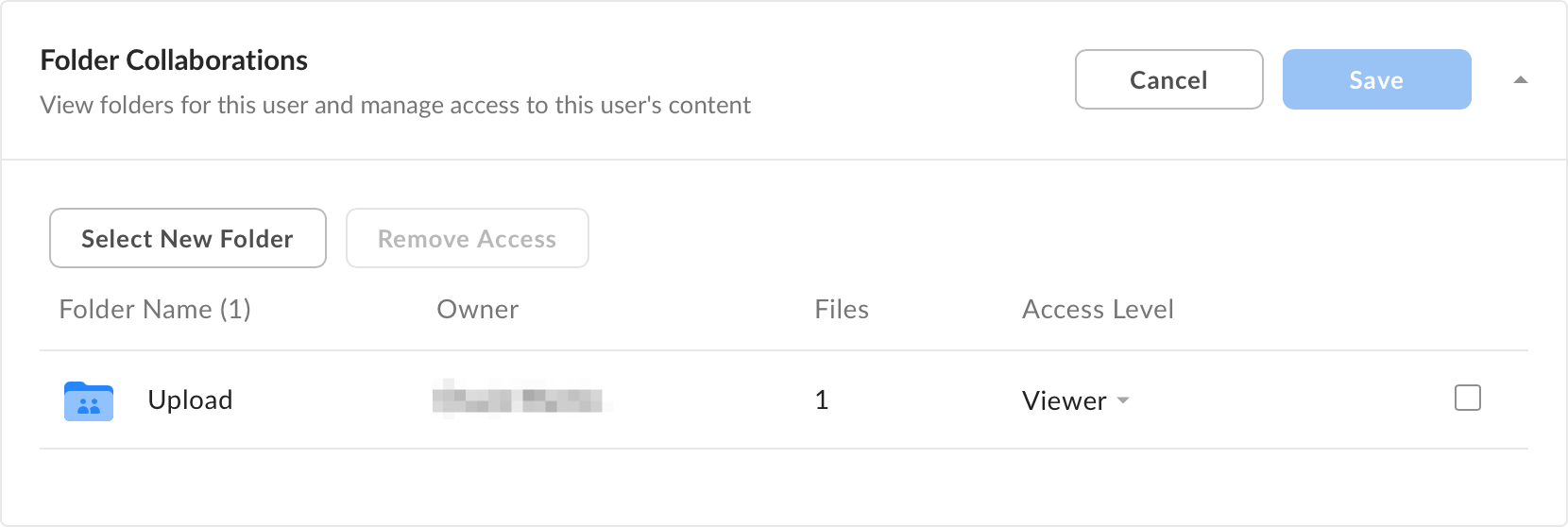
You can grant or revoke external users’ access to your content at any time. Their actions will show up in any reports you run. However, because they are not part of your company’s Box account, you don’t have direct control over the content they own or their Box account settings. When you open an external user’s profile, you will see the following:
external-user-folder-collaborations-png
As an administrator, you can bring in External Users as collaborators, give them various levels of access to your content, and track their usage with reporting tools. However, you do not have the granular level of control over their Box accounts you get with managed users. Tip Employees and close partners should be managed users, as they require a greater amount of control and oversight. When a user from another company invites one of your managed users into a folder they own, you cannot see the external user’s content if you log in to your managed user’s account. The same holds true for your content: If you invite someone from another company into one of your folders as an external user, that person’s admin will not have access to your content.